POS Order Management Software: All Sales Channels, One Screen
In a modern restaurant, orders no longer come through a single door: dining-room tables, the counter register, self-service kiosks, takeout... If every channel runs on a separate system, the outcome is predictable - lost checks, conflicting orders, mixed-up priorities in the kitchen, and figures that don't add up at the end of the day. KioSelf POS order management software unifies all channels on one screen. Table, takeout, and kiosk orders are collected in the same flow; the kitchen works from a single list; the day closes with a single report. The chaos ends, control begins.
What Is Order-Check Software?
Order-check software is software that digitizes table-based order tracking, check management, and the payment process in restaurants and cafes. Modern check systems go beyond this: they synchronize all sales channels, relay orders to the kitchen, deduct stock, and report business data in real time. It structurally eliminates the loss, confusion, and leakage risks of paper checks.
Clarity at the Register, Control in the Dining Room
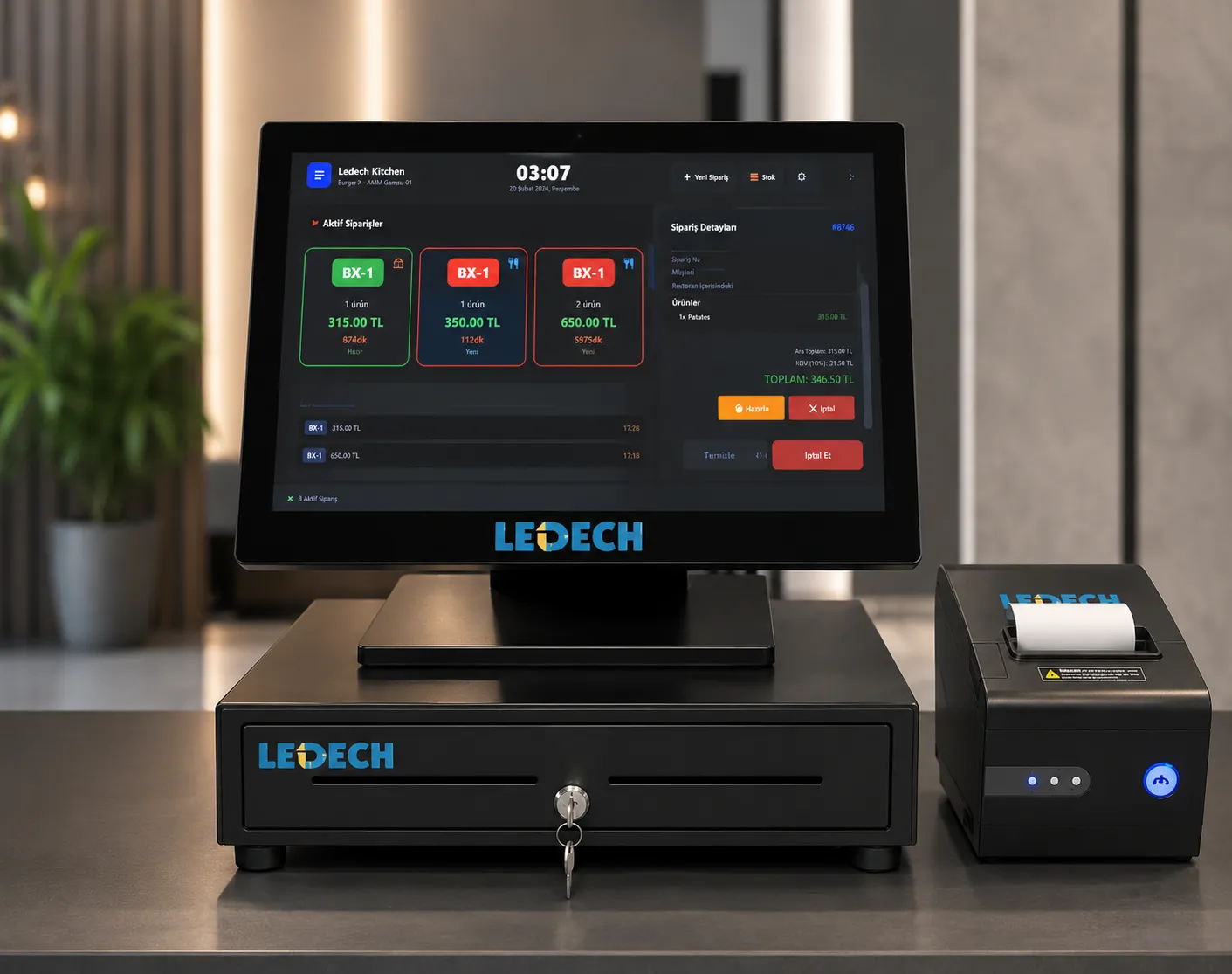
Every order entered from the register or a kiosk is instantly relayed to the touchscreen kitchen display (KDS). The kitchen sees in real time what is waiting, what is being prepared, and what is running late. Kitchen order-tracking screens are customized to your business; in businesses with multiple kitchens or stations, every item of an order is routed only to the relevant kitchen's screen. Each station works only with its own task list - orders never get mixed up at any stage. The era of lost paper slips, illegible handwriting, and forgotten orders is over. During busy hours, the kitchen's rhythm depends on a live, prioritized list, not scraps of paper. Service speeds up; the triangle of cold plates, waiting customers, and a stressed kitchen dissolves.
Table Management
The entire dining room layout is displayed on a single screen. Occupied and empty tables, open checks, and order statuses are tracked instantly. Moving a table, splitting a check, and merging checks are completed with a few taps.
Digital Check Management
Every order is logged with table, user, and transaction-time information. This makes it easy to track missing orders, forgotten items, and unauthorized transactions, strengthening operational control.
Kiosk Integration
Orders placed via the self-service kiosk are automatically transferred to the register system. Since all sales channels are unified on a single infrastructure, no data is lost and the cashier can manage all orders from one screen.
Takeout Order Management
Takeout orders are managed through the same system as dine-in orders. Preparation, delivery, and order sequencing are tracked on a single screen, keeping operations more organized and controlled.
Speak the Same Language as the Kitchen
Every order entered from the register or a kiosk is instantly relayed to the touchscreen kitchen display (KDS). The kitchen sees in real time what is waiting, what is being prepared, and what is running late. Kitchen order-tracking screens are customized to your business; in businesses with multiple kitchens or stations, every item of an order is routed only to the relevant kitchen's screen. Each station works only with its own task list - orders never get mixed up at any stage. The era of lost paper slips, illegible handwriting, and forgotten orders is over. During busy hours, the kitchen's rhythm depends on a live, prioritized list, not scraps of paper. Service speeds up; the triangle of cold plates, waiting customers, and a stressed kitchen dissolves.
Data in Your Hands the Moment You Decide
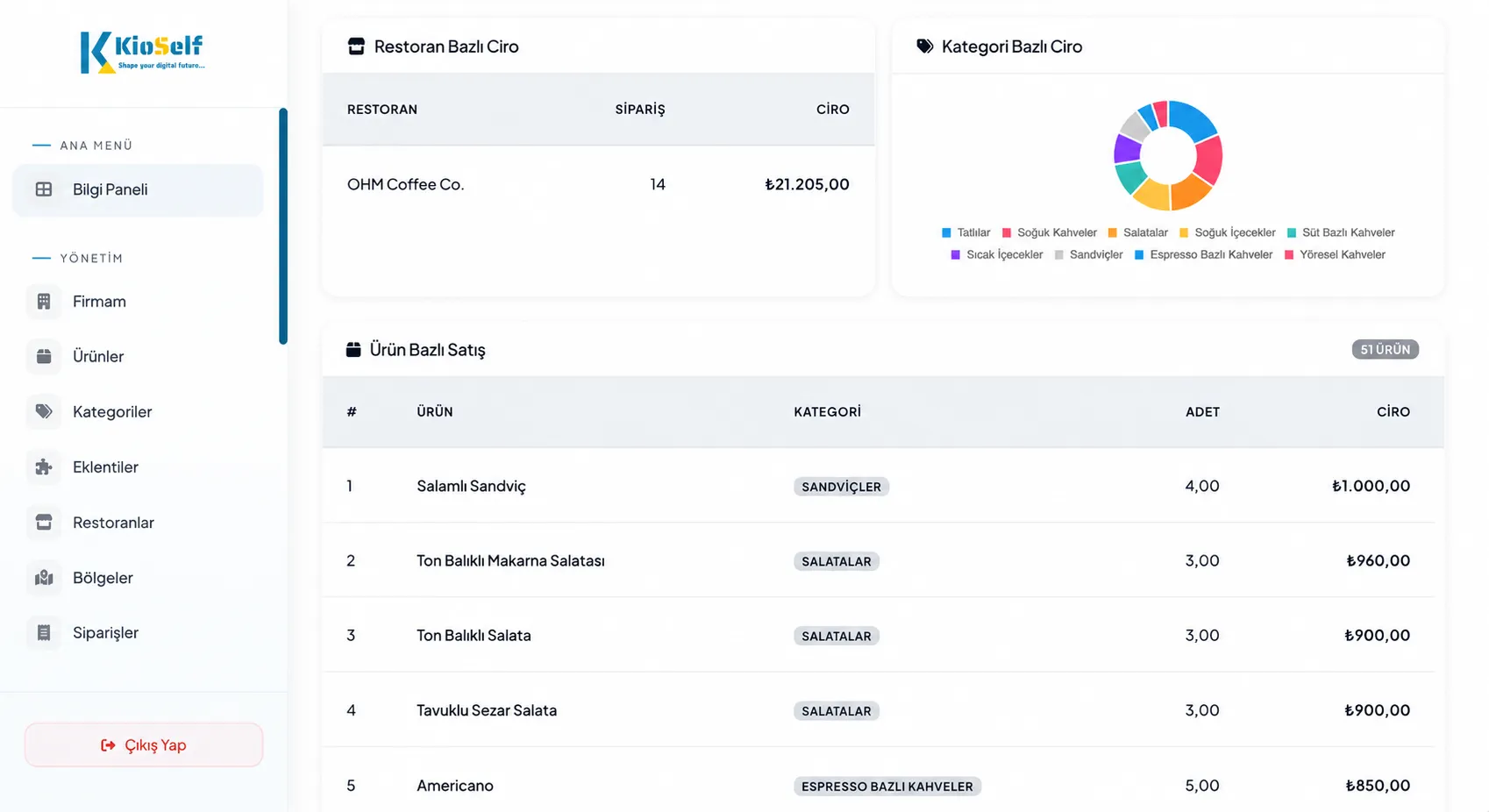
How much of which product is selling? Which hours are busiest? Which channel - dining room, takeout, kiosk - is more profitable? How much revenue did each table generate? The POS order management software records every transaction; the cloud-based management panel turns this data into instant reports. You see it without waiting for the end of the day; you don't spend the end of the month merging Excel sheets. Your decisions are driven by data, not gut feeling.
Part of the Ecosystem, Infrastructure for Growth
The software runs on the KioSelf dual-screen order management console; every device connected to the ecosystem, from kiosks to the kitchen screen, is managed from here. You start today with a single branch, a single register; tomorrow you add a kiosk, the day after you open a second branch - the infrastructure doesn't change, it just expands.
Below you can find answers to the most common questions about Restaurant POS Order Management Software.
The software was developed to work in full compatibility with the KioSelf dual-screen order management console. Requests for use on different hardware infrastructures are evaluated during the site survey based on technical requirements.
Yes. Thanks to the cloud-based management infrastructure, sales data, order activity, performance reports, and operational information for all your branches can be viewed instantly through a single management panel.
No. The system continues to operate without an internet connection. Checks and transactions created are stored securely; once the connection is restored, all data is automatically synced to the cloud system.
Yes. Thanks to the role-based authorization system, different access levels can be defined for each user. Permissions such as creating orders, cancellations, price changes, and viewing reports are entirely determined by your business.
No. The interface is designed to be simple and intuitive, allowing teams accustomed to paper checks to adapt quickly. During installation, your team receives usage training to ease the transition to the digital system.